Blog

  • Parse JSON C#: A Comprehensive Guide for Developers

    Introduction to JSON Parsing in C#

    JSON (JavaScript Object Notation) has become the de facto standard for data interchange on the web. Whether you’re building APIs, integrating with third-party services, or storing configuration, effectively parsing JSON in C# is a fundamental skill for any developer. This guide will walk you through the most common and efficient ways to handle JSON data in your C# applications, focusing on both the built-in System.Text.Json library and the popular third-party library, Newtonsoft.Json.


    Why Efficient C# JSON Parsing Matters

    Properly parsing json ensures that your application can correctly interpret incoming data, transform it into C# objects (classes), and use it seamlessly within your logic. Inefficient json parse operations can lead to performance bottlenecks, memory issues, and brittle code. By choosing the right method and tools, you can build robust and high-performing applications that efficiently handle string json input.


    Getting Started with System.Text.Json

    Introduced in NET Core 3.1, System.Text.Json is the built-in, high-performance JSON serializer and deserializer provided by Microsoft. It’s designed for modern NET applications and offers excellent performance and memory efficiency. The core process is to deserialize json into C# classes.

    Basic Deserialization

    Let’s start with a simple JSON string and deserialize it into a C# class.

    C#

    using System;
    using System.Text.Json;
    
    public class User
    {
        public int Id { get; set; }
        public string Name { get; set; }
        public string Email { get; set; }
    }
    
    public class Program
    {
        public static void Main()
        {
            string jsonString = "{\"Id\":1,\"Name\":\"Alice\",\"Email\":\"alice@example.com\"}"; // string json
            User user = JsonSerializer.Deserialize<User>(jsonString); // Deserialize JSON
    
            Console.WriteLine($"User Id: {user.Id}, Name: {user.Name}, Email: {user.Email}");
        }
    }
    

    Deserializing Lists of Objects

    Often, you’ll encounter JSON data that represents a collection of objects (list). System.Text.Json handles this gracefully.

    C#

    // ... Product Class Definition ...
    public class Program
    {
        public static void Main()
        {
            string jsonString = "[{"Id":101,"Name":"Laptop","Price":1200.50},{"Id":102,"Name":"Mouse","Price":25.99}]";
            List<Product> products = JsonSerializer.Deserialize<List<Product>>(jsonString); // Deserializing a List
            // ...
        }
    }
    

    Handling Complex JSON Structures (JSON Object)

    For more complex JSON with nested JSON objects, define corresponding nested C# classes. This is key to safely parse json c# data.


    Using Newtonsoft.Json (Json.NET)

    Newtonsoft.Json has been the go-to JSON library for .NET for many years. It’s incredibly powerful, feature-rich, and widely adopted.

    Dynamic JSON Parsing with JObject

    One of Json.NET’s powerful features is its ability to parse JSON dynamically without needing predefined classes, using $\text{LINQ}$ to JSON (JObject). This is useful for dealing with unpredictable JSON data.

    C#

    using System;
    using Newtonsoft.Json.Linq;
    
    public class Program
    {
        public static void Main()
        {
            string jsonString = "{\"Status\":\"Success\",\"Data\":{\"Message\":\"Operation successful!\",\"Code\":200}}";
            JObject json = JObject.Parse(jsonString); // Parsing JSON into a dynamic JSON object
    
            string status = (string)json["Status"];
            string message = (string)json["Data"]["Message"];
            // ...
        }
    }
    

    Note: For efficient handling of large files, consider reading the string data using a StreamReader when working with JSON files on disk.


    Best Practices for C# JSON Parsing

    • Use strongly-typed objects: Deserialize json to specific C# classes for safety and performance.
    • Source JsonDocument: For accessing specific elements within a large JSON text payload without fully deserializing the entire file, use the JsonDocument type in System.Text.Json. JsonDocumentOptions options can be used to control the parsing behavior of the source JsonDocument. This allows for efficient querying of the parsed json.
    • Error Handling: Always wrap your JSON parsing logic in try-catch blocks to gracefully handle malformed JSON or unexpected data.

    Conclusion

    Parsing JSON in C# is a common task, and thankfully, the .NET ecosystem provides excellent tools to accomplish it. Whether you choose the modern, high-performance System.Text.Json to parse json c# for new projects, or the versatile Newtonsoft.Json for its extensive features, understanding how to effectively deserialize and manipulate JSON data is crucial for building robust C# applications. Start integrating these techniques into your projects and elevate your data handling capabilities!

    C# JSON Parser: The Serialization/Deserialization Bridge

    This infographic details the two core functions performed by the C# JSON Parser (specifically mentioning System.Text.Json), which serves as a bridge between application code and external data formats.


    1. Deserialization: JSON $\to$ C# Object (Incoming Data) 📥

    This process converts raw text data received from external sources (e.g., an API response) into usable, strongly-typed C# objects.

    StepData FormatDescription
    InputRaw JSON StringThe data is received as text (e.g., (id: 101, price 49.99)).
    Parser ActionC# JSON ParserThe parser reads the string and maps the properties (like id and price) to the corresponding C# class members.
    OutputInstantiated C# ObjectA fully populated object is created (e.g., Product product = new Product { Id = 101, Price = 49.99 }).
    Key CodeN/AThe operation is executed using: JsonSerializer.Deserialize<Product>(jsonString);.

    2. Serialization: C# Object $\to$ JSON (Outgoing Data) 📤

    This process converts internal C# objects into a raw JSON string suitable for transmission over a network or for storage.

    StepData FormatDescription
    InputC# ObjectA populated C# object from application logic (e.g., User userObject = new User { Name = "Alice", Role = "Admin" }).
    Parser ActionC# JSON ParserThe parser reads the object’s properties and values and formats them into the JSON text structure.
    OutputJSON StringA string ready for output (e.g., (name = "Alice", role = "Admin")).
    Key CodeN/AThe operation is executed using: string jsonString = JsonSerializer.Serialize<User>(userObject);.

    learn for more knowledge

    Mykeywordrank ->What Is Seo Rank and seo analyzer – keyword rank checker

    Json web token ->What Is Auth0 JWT, JSON Web Token – json web token

    Json Compare ->Online Compare JSON, JSON Compare, JSON Compare Tool, JSON Diff – online json comparator

    Fake Json –>What is FakeStore API: Beginner-Friendly Guide to Using Fake E-Commerce Data – fake api

  • C JSON Parser: A Comprehensive Guide to Parsing JSON in C using cJSON and Jansson

    JSON (JavaScript Object Notation) has become the de-facto standard for data interchange on the web. As a C developer, you’ll frequently encounter scenarios where you need to json parse or parsing json data, whether it’s from a web API or a configuration file.

    While C doesn’t have built-in support for JSON, several robust and efficient third-party json parsers and json libraries make parsing JSON in C straightforward. This guide will walk you through the process, focusing on two of the most popular and reliable libraries: cJSON and Jansson, and briefly touching on yyjson.


    Why Use a C JSON Parser Library?

    Attempting to json parse manually in C is complex. JSON has a strict json format with nested objects, arrays, various data types, and escape sequences. Writing a parser from scratch would be complex, error-prone, and time-consuming. JSON libraries handle these intricacies for you, providing an elegant API to deserialize JSON strings into C data structures and access their values.


    Getting Started with cJSON: The Lightweight JSON Parser

    cJSON is a widely used, ultra-lightweight, and easy-to-integrate c json parser and printer for C. It’s known for its simplicity and small footprint, making it ideal for embedded systems or projects where resource usage is critical.

    1. Installation and Setup

    The cjson library is typically integrated by adding its cJSON.h and cJSON.c files directly to your project. You can download them from the cJSON GitHub repository.

    Compile your project along with cJSON.c using your compiler (e.g., gcc your_program.c cJSON.c -o your_program). For larger projects, integrating with cmake is often preferred.

    2. Basic JSON Parsing with cJSON

    Let’s consider a simple JSON string and json parse it using cJSON:

    C

    #include <stdio.h>
    #include <stdlib.h>
    #include "cJSON.h"
    
    int main() {
        const char *json_string = "{\"name\":\"John Doe\",\"age\":30,\"isStudent\":false,\"grades\":[85,92,78]}";
    
        cJSON *root = cJSON_Parse(json_string); // Returns a cJSON object
    
        if (root == NULL) {
            // Error handling code
            return 1;
        }
    
        // Accessing values
        cJSON *name = cJSON_GetObjectItemCaseSensitive(root, "name");
        if (cJSON_IsString(name) && (name->valuestring != NULL)) {
            printf("Name: %s\n", name->valuestring); // Accesses valuestring
        }
    
        cJSON *age = cJSON_GetObjectItemCaseSensitive(root, "age");
        if (cJSON_IsNumber(age)) {
            printf("Age: %d\n", age->valueint); // Accesses the number value
        }
    
        // Clean up
        cJSON_Delete(root); // Always use cJSON_Delete to free memory
    
        return 0;
    }
    

    3. Key cJSON Functions Explained:

    • cJSON_Parse(const char *value): Parses the JSON string and returns a pointer to the root cjson object.
    • cJSON_GetObjectItemCaseSensitive(const cJSON * const object, const char * const string): Retrieves an item from a json object by its key.
    • item->valuestring, item->valueint, item->valuedouble: Accesses the raw value of the JSON item (string, number, etc.).
    • cJSON_Delete(cJSON *item): Frees all memory associated with a cJSON object.

    Parsing JSON with Jansson and Other C JSON Parsers (yyjson)

    Jansson is another excellent C library for encoding, decoding, and manipulating JSON data. It offers a more robust and feature-rich API compared to cJSON.

    A notable modern addition to C json parsers is yyjson. yyjson is known for its extremely fast parsing speed and lightweight design, making it a strong alternative to cJSON for performance-critical tasks.

    1. Jansson Installation

    Jansson is typically installed via your system’s package manager or compiled from source, often integrated into the build process using cmake. You must link against the json library (e.g., gcc your_program.c -o your_program -ljansson).

    2. Jansson Functions

    • json_loads(const char *input, size_t flags, json_error_t *error): The primary function for json parse.
    • json_object_get(const json_t *object, const char *key): Retrieves a data object by its key.
    • json_decref(json_t *json): Frees the memory using reference counting.

    Conclusion: Choosing Your C JSON Parser

    Parsing JSON in C doesn’t have to be a headache. By leveraging powerful and well-maintained json libraries like cJSON or Jansson (or modern high-performance options like yyjson), you can efficiently handle JSON data in your C applications.

    • cJSON: Choose this for its ultra-lightweight footprint and easy integration (just two files), ideal for embedded or simple parsing json tasks.
    • Jansson: Choose this for its robust features, reference counting memory management, and use in larger applications.
    • yyjson: Choose this for maximum speed and performance when parsing massive amounts of JSON data.

    C JSON Parser: DOM vs Streaming

    This infographic compares the two main JSON parsing architectures—DOM Parsing and Streaming Parsing—and includes a performance metric visualization for popular C/C++ libraries.


    1. Decision Point: File Size

    The chart begins with the central question: “How large is your JSON file?”.

    ScenarioRecommended Approach
    Small/Medium (< 1GB)Use DOM Parsing (Document Object Model).
    Very Varge > 1GBUse Streaming Parsing (Implied, as DOM parsing is memory-intensive for large files).

    2. Comparison of Parsing Methods

    FeatureDOM Parsing (Document Object Model)Streaming Parsing (Implied)
    Speed/ParsingFastest overall parsing.N/A (Generally slower than DOM but better for large files).
    Memory UsageHigh memory usage (loads ["document"]["key"]["key"] ["nested"] and loads entire tree).N/A (Low memory usage as it processes in chunks).
    Data AccessEasy, direct data access (e.g., the nested).Access sequeial uesage (chunk-chunk-chonk [“nested”]).
    ComplexityN/A (Simpler API for developers).Complex, event-based API (onKey(), onValue()).

    3. Parser Performance Visualization

    The included bar chart visualizes the relative speed of several high-performance C/C++ parsers:

    • Fastest: simdjson
    • Close Contenders: cJNN and HandJSON Parsers
    • Baseline: RapidJSON (HandJSON API)

    Conclusion: Developers should Choose based file size & memory constraints.

    learn for more knowledge

    MyKeywordrank ->SEO Optimization Checker: Mastering Website SEO Optimization and Rankings – keyword rank checker

    Json web token ->What is protegrity tokenization, data protection, tokenization, vaultless tokenization – json web token

    Json Compare ->What is Compare JSON Objects Online: Beginner-Friendly Guide – online json comparator

    Fake Json –Why Dummy JSON API Is Used? Complete Guide to Dummy API, JSON API, DummyJSON, JSONPlaceholder & Fake Data Tools – fake api

  • How to Parse JSON Request Bodies in Express.js with Body-Parser

    Introduction to JSON Body Parsing in Express.js

    When building web APIs with Node.js and Express.js, handling incoming data from client requests is a fundamental task. Often, this data is sent in JSON format, especially for RESTful APIs. To access this JSON data within your Express routes, you need a mechanism to parse the request body. This is where body-parser JSON comes into play.

    This guide will show you how to parse JSON request bodies using the popular body-parser middleware or Express’s built-in solution, making it easy to work with client-side JSON data.

    What is Body-Parser?

    body-parser is a Node.js middleware specifically designed to parse incoming request bodies. It handles various data formats, including JSON, URL-encoded forms, and raw buffers. While it was once a standalone package essential for Express apps, modern versions of Express (4.16.0+) include their own built-in body-parsing middleware, making the separate body-parser package optional for JSON and URL-encoded data.

    Why do you need to parse JSON?

    By default, the req.body object in Express is undefined. This is because Express applications do not automatically know how to interpret the raw stream of data sent in an HTTP request body. A parser is needed to take this raw data, identify its format (e.g., JSON), and transform it into a usable JavaScript object attached to req.body.

    How to Parse JSON with Express’s Built-in Middleware

    For most modern Express applications, you don’t need to install body-parser separately for JSON parsing. Express itself provides the functionality. Here’s how to use it:

    Step 1: Set up your Express application

    const express = require('express');
    const app = express();
    const port = 3000;

    Step 2: Use the built-in JSON parser middleware

    Add the following line early in your middleware stack to enable JSON body parsing:

    app.use(express.json());

    This middleware parses incoming requests with JSON payloads and makes the data available on the req.body property.

    Step 3: Create a route to handle POST requests

    Now, you can define a route that accepts POST requests and accesses the parsed JSON data:

    app.post('/api/data', (req, res) => {
      console.log('Received data:', req.body);
      const { name, email } = req.body; // Destructure properties from the parsed JSON
    
      if (!name || !email) {
        return res.status(400).send('Name and email are required.');
      }
      res.status(200).json({ message: 'Data received successfully!', yourData: { name, email } });
    });
    
    app.listen(port, () => {
      console.log(`Server listening at http://localhost:${port}`);
    });

    Full Example Code (Express Built-in)

    const express = require('express');
    const app = express();
    const port = 3000;
    
    // Middleware to parse JSON bodies
    app.use(express.json());
    
    app.get('/', (req, res) => {
      res.send('Welcome to the JSON Body Parser Example!');
    });
    
    app.post('/api/users', (req, res) => {
      const userData = req.body; // Parsed JSON data is here
      console.log('New user data:', userData);
    
      // Example validation
      if (!userData.username || !userData.email) {
        return res.status(400).json({ error: 'Username and email are required.' });
      }
    
      // In a real app, you would save userData to a database
      res.status(201).json({ message: 'User created successfully', user: userData });
    });
    
    app.listen(port, () => {
      console.log(`Server running on http://localhost:${port}`);
    });

    How to Test with cURL

    To test the above endpoint, you can use a tool like cURL or Postman. Here’s a cURL command:

    curl -X POST -H "Content-Type: application/json" -d '{"username": "johndoe", "email": "john.doe@example.com"}' http://localhost:3000/api/users

    You should see a response similar to:

    {"message":"User created successfully","user":{"username":"johndoe","email":"john.doe@example.com"}}

    Using the Standalone Body-Parser Package (Legacy/Specific Needs)

    If you are working with an older Express version or have specific needs that the standalone body-parser package addresses better (e.g., parsing raw buffers or text bodies not handled by express.json()), you can still use it. The process is very similar.

    Step 1: Install body-parser

    npm install body-parser

    Step 2: Require and use body-parser

    const express = require('express');
    const bodyParser = require('body-parser');
    const app = express();
    const port = 3000;
    
    // Use body-parser middleware to parse JSON request bodies
    app.use(bodyParser.json());
    
    app.post('/api/products', (req, res) => {
      const productData = req.body;
      console.log('New product data:', productData);
      res.status(201).json({ message: 'Product added successfully', product: productData });
    });
    
    app.listen(port, () => {
      console.log(`Server running on http://localhost:${port}`);
    });

    Important Considerations for Body-Parser JSON

    • Middleware Order: Always place your body-parsing middleware (app.use(express.json()) or app.use(bodyParser.json())) before any routes that need to access req.body. If placed after, req.body will remain undefined for those routes.
    • Content-Type Header: The client sending the request MUST include the Content-Type: application/json header. Without this, the middleware won’t know to parse the body as JSON.
    • Body Size Limit: Both express.json() and bodyParser.json() have a default limit for the size of the request body (often around 100kb). You can configure this limit:
      • For express.json():
        app.use(express.json({ limit: '10mb' }));

      • For bodyParser.json():
        app.use(bodyParser.json({ limit: '10mb' }));

    • Error Handling: If the client sends malformed JSON, the parser will throw an error. It’s good practice to implement error handling middleware to gracefully manage such situations.

    Conclusion

    Parsing JSON request bodies is a critical aspect of building robust APIs with Express.js. Whether you opt for Express’s built-in express.json() middleware or the standalone body-parser package, the process is straightforward. By properly configuring your application, you can easily access and manipulate client-sent JSON data, empowering your Node.js backend.

    Remember to always consider the Content-Type header and the order of your middleware for optimal performance and correct functionality when dealing with body parser JSON.

    JSON Body Parser Time Distribution

    This chart visualizes the hypothetical time distribution spent by a JSON Body Parser when processing an incoming HTTP request body.

    TaskPercentage of TimeDescription
    Object Construction45%The largest time block, dedicated to building the in-memory data structures (like arrays and objects) that represent the parsed JSON.
    String & Type Conversion35%Time spent parsing the raw text, converting it into native data types (e.g., numbers, boolean), and validating data types.
    Error Handling & Validation10%Dedicated to checking for malformed JSON structure and syntax errors before construction.
    Native API Overhead10%Time spent on low-level system calls and managing the underlying programming language’s API.

    Key Insight

    The chart clearly shows that 80% of the parsing effort is concentrated in Object Construction 45% and String & Type Conversion 35%. This is why highly optimized JSON parsers focus on accelerating these two core data transformation tasks.

    learn for more knowledge

    Mykeywordrank ->Search Optimization and SEO: Mastering Visibility in Search Results – keyword rank checker

    Json web token ->What Is JWT Token? (JSON Web Token Explained for Beginners) – json web token

    Json Compare ->JSON Comparator, Online JSON Diff, JSON Compare Tool – online json comparator

    Fake Json ->Testing Software Tools: Best Tools & Software to Create Fake JSON Data for Testing – fake api

  • Unlocking Data: How to Choose and Use the Best JSON Parser

    In the digital age, data is the new gold, and JSON (JavaScript Object Notation) has emerged as the lingua franca for exchanging it across web services, APIs, and applications. But raw JSON data is just a string of characters; to make sense of it and use it effectively, you need a reliable tool: a JSON parser.

    What is a JSON Parser?

    A JSON parser is a software component or library that reads JSON data, typically in string format, and transforms it into a structured data type that can be easily manipulated within a programming language. Think of it as a translator that converts a universal data format into an object or map specific to your chosen language, allowing you to access its elements programmatically.

    Why Choosing the Right JSON Parser Matters

    Not all JSON parsers are created equal. The choice of parser can significantly impact your application’s performance, development time, and maintainability. Here’s why it’s a critical decision:

    • Performance: Some parsers are optimized for speed and low memory footprint, crucial for high-throughput applications or processing large JSON files.
    • Ease of Use: A well-designed API can drastically reduce development time and the likelihood of errors.
    • Feature Set: Beyond basic parsing, some parsers offer advanced features like data binding, streaming APIs for large documents, schema validation, and custom serialization/deserialization.
    • Reliability: Robust parsers handle malformed JSON gracefully, providing clear error messages rather than crashing your application.

    Key Factors to Consider When Choosing the Best JSON Parser

    1. Performance (Speed and Memory)

    For applications dealing with massive datasets or requiring lightning-fast response times, the parser’s efficiency is paramount. Benchmark different options with your typical data loads to understand their real-world impact.

    2. Ease of Use and API Design

    A parser with an intuitive API and clear documentation will make your development process smoother. Look for libraries that integrate well with your existing codebase and programming paradigms.

    3. Language Support and Ecosystem

    Most programming languages have multiple JSON parsing libraries. Stick to those that are idiomatic to your language and have a strong community backing. This ensures good documentation, examples, and ongoing support.

    4. Advanced Features

    Consider if you need features beyond basic parsing:

    • Data Binding/Object Mapping: Automatically convert JSON directly into custom objects (e.g., POJOs in Java, classes in Python).
    • Streaming API: Process large JSON documents piece by piece without loading the entire document into memory.
    • Schema Validation: Ensure incoming JSON adheres to a predefined structure.
    • Custom Serializers/Deserializers: Handle complex data types or specific formatting requirements.

    5. Community Support and Maintenance

    An active community means regular updates, bug fixes, and readily available help. Opt for libraries that are actively maintained and have a proven track record.

    Popular JSON Parsers Across Different Languages

    Here’s a quick look at some widely used JSON parsing libraries:

    • JavaScript:
      • JSON.parse() and JSON.stringify(): Built-in methods for basic JSON handling.
    • Python:
      • json module: The standard library module for JSON encoding and decoding.
    • Java:
      • Jackson: A powerful and highly performant library, widely used for data binding.
      • Gson: Google’s JSON library, known for its simplicity and ease of use.
      • org.json: A lightweight, simple option, often bundled with various Java EE containers.
    • C#:
      • Newtonsoft.Json (Json.NET): The de-facto standard for JSON in .NET for many years.
      • System.Text.Json: Microsoft’s newer, high-performance, built-in JSON library, part of .NET Core and .NET 5+.

    How to Use a JSON Parser: Practical Examples

    Let’s see some basic examples of parsing JSON in different languages.

    Python Example (using the json module)

    
    import json
    
    json_string = '''
    {
        "name": "Alice",
        "age": 30,
        "isStudent": false,
        "courses": ["Math", "Science"]
    }
    '''
    
    # Parse the JSON string into a Python dictionary
    data = json.loads(json_string)
    
    print(f"Name: {data['name']}")
    print(f"Age: {data['age']}")
    print(f"Courses: {', '.join(data['courses'])}")
    
    # Output:
    # Name: Alice
    # Age: 30
    # Courses: Math, Science
    

    JavaScript Example (using JSON.parse())

    
    const jsonString = `{
        "product": "Laptop",
        "price": 1200,
        "inStock": true,
        "features": ["SSD", "16GB RAM"]
    }`;
    
    // Parse the JSON string into a JavaScript object
    const productData = JSON.parse(jsonString);
    
    console.log(`Product: ${productData.product}`);
    console.log(`Price: ${productData.price}`);
    console.log(`In Stock: ${productData.inStock}`);
    console.log(`Features: ${productData.features.join(', ')}`);
    
    // Output:
    // Product: Laptop
    // Price: $1200
    // In Stock: true
    // Features: SSD, 16GB RAM
    

    Java Example (using Jackson)

    
    import com.fasterxml.jackson.databind.JsonNode;
    import com.fasterxml.jackson.databind.ObjectMapper;
    
    public class JsonParserExample {
        public static void main(String[] args) {
            String jsonString = "{ \"city\": \"New York\", \"population\": 8400000, \"regions\": [\"Manhattan\", \"Brooklyn\"] }";
    
            ObjectMapper mapper = new ObjectMapper();
            try {
                // Parse the JSON string into a JsonNode tree
                JsonNode rootNode = mapper.readTree(jsonString);
    
                System.out.println("City: " + rootNode.get("city").asText());
                System.out.println("Population: " + rootNode.get("population").asInt());
                System.out.print("Regions: ");
                rootNode.get("regions").forEach(node -> System.out.print(node.asText() + " "));
                System.out.println();
    
            } catch (Exception e) {
                e.printStackTrace();
            }
        }
    }
    // Output:
    // City: New York
    // Population: 8400000
    // Regions: Manhattan Brooklyn
    

    Best Practices for JSON Parsing

    • Handle Errors Gracefully: Always wrap parsing logic in try-catch blocks or use error handling mechanisms provided by the language/library. Invalid JSON is common.
    • Validate Input: If possible, validate incoming JSON against a schema to ensure it conforms to expected structure and data types.
    • Use Streaming for Large Files: For very large JSON documents, avoid loading the entire file into memory. Use streaming APIs (like Jackson’s JsonParser in Java) to process data incrementally.
    • Choose Performance Wisely: Benchmark different parsers if performance is a critical factor for your application.
    • Security Considerations: Be aware of potential vulnerabilities when parsing untrusted JSON (e.g., excessive nesting leading to stack overflow).

    Conclusion

    Choosing the best JSON parser is about balancing performance, ease of use, and the specific needs of your project. By understanding the factors involved and exploring the rich ecosystem of available libraries, you can efficiently process JSON data, boost your application’s data handling capabilities, and build more robust and scalable systems. Whether you’re a seasoned developer or just starting, mastering JSON parsing is a fundamental skill in today’s data-driven world.

    Content for JSON Parser Time Distribution Pie Chart

    This pie chart illustrates a hypothetical scenario of where a JSON parser spends its processing time when reading and converting a JSON string into usable in-memory objects.

    TaskPercentage of TimeDescription
    Object Construction45.0%The largest time sink, involving the allocation of memory and building the internal data structures (like dictionaries, lists, or custom objects) that mirror the JSON structure.
    String Conversion35.0%The time spent reading raw characters from the JSON string and converting them into native programming language strings and numbers.
    Error Handling10.0%Time dedicated to checking for malformed JSON syntax, ensuring data types are correct, and managing exceptions.
    Native API Overhead10.0%The time spent communicating with the operating system and the underlying programming language’s C/C++ API (common in highly optimized parsers).

    Key Insight: Focus Areas for Optimization

    The chart highlights that 80% of a parser’s time is dedicated to Object Construction 45 and String Conversion 35. This confirms that the “best” JSON parsers (those designed for speed) achieve their performance gains by using highly optimized, low-level routines written in C/C++ to accelerate these two core tasks.

    learn for more knowledge

    MyKeyword rank ->Best Strategies to Rank on Google’s First Page in 2025 (Complete SEO Guide) – keyword rank checker

    Json web token ->What Is JWT Token? (JSON Web Token Explained for Beginners) – json web token

    Json Compare ->JSON Comparator, Online JSON Diff, JSON Compare Tool – online json comparator

    Fake Json ->Testing Software Tools: Best Tools & Software to Create Fake JSON Data for Testing – fake api

  • BeautifulSoup JSON Parser-Combining BeautifulSoup and JSON for Web Scraping

    A BeautifulSoup JSON parser refers to the technique of using the BeautifulSoup parser library in Python to extract or parse JSON-like data from HTML pages. BeautifulSoup itself is designed primarily as an html parser for HTML and XML parsing, not JSON. However, developers strategically use this powerful web scraper to:

    • Scrape web pages.
    • Locate JSON data hidden inside the HTML content.
    • Extract JSON objects from specific elements like <script> tags.
    • Convert that data (often a string in JSON format) into usable Python dictionaries.

    So, it’s not a built-in BeautifulSoup feature—it’s a clever method of using BeautifulSoup to find JSON data inside a web page’s source. This is a crucial skill in modern web scraping.


    Why Beautiful Soup Is Used for JSON Parsing (Web Scraping)

    The BeautifulSoup JSON parser method is essential in web scraping when developers need to overcome limitations:

    • A website does not provide a public $\text{API}$ for data access.
    • The necessary JSON data is embedded directly inside the HTML content.
    • The data is found inside <script> tags as JavaScript objects (which look like JSON).
    • The data is part of the page source (markup) but not accessible directly.

    Example scenario: Many modern websites (especially e-commerce) store product details inside JSON contained within a script tag. Beautiful Soup helps you find and extract this hidden data, making it the perfect initial web scraper for this task.


    How the BeautifulSoup JSON Parser Works: Parse HTML and JSON

    The process of using BeautifulSoup to extract JSON involves combining its HTML parser capabilities with the built-in Python json module.

    Simple Overview of the Parsing Steps:

    1. Use requests or selenium to fetch the raw HTML (html content) of the page.
    2. Create a BeautifulSoup object to parse html. This object represents the parsed HTML tree.
    3. Use BeautifulSoup’s methods, such as find or find_all (soup findall), to locate the specific <script> tag or other elements that contain the JSON string.
    4. Extract the raw JSON string (the text content) from the tag.
    5. Use Python’s json.loads() to perform the final json parse, converting the raw string into a usable Python dictionary. This is the final step in getting the data into a structured JSON file or variable.

    🧩 Example JSON Inside HTML

    HTML

    <script id="data" type="application/ld+json">
      {"name": "Laptop", "price": 499}
    </script>
    

    BeautifulSoup can easily find this tag using its attributes (e.g., type="application/ld+json"), and Python’s JSON module can then parse the enclosed JSON format string.


    Where BeautifulSoup JSON Parsing Helps

    This method of parsing is vital for advanced web scraping applications, turning messy HTML into clean, structured data:

    • Scraping product details or specifications for e-commerce sites.
    • Collecting news data or article metadata often embedded in JSON format.
    • Extracting structured data (markup) like Schema.org.
    • Handling sites that rely on JavaScript frameworks to inject JSON into the page.

    Final Summary

    A BeautifulSoup JSON parser is an advanced web scraping technique where the Beautiful Soup html parser is used to first locate JSON data inside HTML, extract the raw JSON string, and then reliably parse it using Python’s json module. This technique is indispensable for any web scraper needing to access hidden or embedded data within the source markup of a web page.

    “BeautifulSoup JSON Parser” Infographic

    This infographic explains the process of using BeautifulSoup to locate, extract, and parse embedded JSON data, typically JSON-LD (Linked Data), from an HTML document.

    1. The Parsing Workflow (Steps 1, 2, 3 & Output)

    This section details the flow of data from the input HTML to the final parsed JSON object.

    StepTitleActionDetails
    Input 1HTML DocumentThe HTML content is read into BeautifulSoup.Code example: soup = BeautifulSoup(id-jstml, 'html.parser').
    Step 2BeautifulSoup ParsingUse BeautifulSoup to find the specific script tag containing the JSON data.Action: script type, find "application", json-data.
    Step 3Extract & Parse JSONExtract the raw string content and load it as a JSON object.Action: <script tag = find "script", ld-json"> (json-loads-string).
    OutputJSON DataThe result is the clean, structured data ready for use.This is often Embedded JSON-LD (application/json-LD).

    2. Use Cases and Benefits

    This section shows the practical application of the combined BeautifulSoup + JSON Parser.

    SEO Optimization

    • Extract Structured Data (JSON-LD): Used for better Engine data (Rich Snippets).
    • Extract Product Data: Retrieves product data and prices for Rich Snippets.

    Data Scraping

    • Extract Structured JSON-Data: Used for Search Engine data understanding.
    • Extract Product Data: Gathers product data, reviews from e-commerce sites.

    learn for more knowledge

    mykeywordrank->Google Search Engine Optimization (SEO)-The Key to Higher Rankings – keyword rank checker

    Json web token ->What Is JWT? (JSON Web Token Explained) – json web token

    Json Compare ->Online JSON Comparator, JSON Compare tool – online json comparator

    Fake Json ->Fake API: Why Fake JSON APIs Are Useful for Developers – fake api

  • APIDevTools JSON Schema Ref Parser: Resolving JSON Schema References

    APIDevTools JSON Schema Ref Parser is a popular JavaScript library, available as an npm package, used to parse, resolve, and dereference JSON Schema $ref pointers. It is often referenced by its package name, @apidevtools/json-schema-ref-parser, or simply json-schema-ref-parser.

    It helps developers combine multiple JSON schema files into one fully resolved schema that can be easily validated or used in an application. This package simplifies handling modular JSON structures.

    In simple words:

    • 👉 It reads your JSON Schema (and can json parse the contents).
    • 👉 Finds all $ref links (ref pointers), which are also called schema ref.
    • 👉 Replaces them with real schema data.
    • 👉 Returns one complete, final schema.

    Why APIDevTools JSON Schema Ref Parser is Essential

    JSON Schemas often become large and are split into multiple files for modularity and maintainability. They use the $ref keyword (ref) to link to other schema parts:

    JSON

    {
      "$ref": "./user.schema.json"
    }
    

    Node.js alone cannot resolve these ref pointers automatically—the json-schema-ref-parser from APIDevTools does this complex work for you. Utilizing this npm package is a best practice in modern API development.


    Key Capabilities of the JSON Schema Ref Parser Package

    The @apidevtools/json-schema-ref-parser offers three core functionalities:

    1. JSON Parse and Resolve $\text{\$ref}$ Pointers (Schema Ref)

    The tool first performs a json parse (reading the structure) and then attempts to resolve all ref pointers (schema ref). It handles:

    • Local references within the same file.
    • External files (local directory).
    • Remote URLs (web resources).
    • Nested references (where one ref points to another ref).

    2. Dereference JSON Schema (Dereference JSON)

    The dereference function is the most commonly used, performing the final action of replacing all $\text{\$ref}$ values with the actual content they point to. This creates one complete schema with all $ref values replaced. The result is a single, self-contained JSON object—great for downstream validators like AJV, as they prefer a fully expanded schema.

    3. Package and Latest Version Information

    This package is actively maintained by the APIDevTools community. Developers should always check the latest version on npm to ensure they have the most secure code and benefit from the latest features and security fixes against potential vulnerabilities.


    Basic Example and Use Cases

    🛠️ Example Code (Dereference JSON)

    By calling the dereference method from the json-schema-ref-parser, you get the final, flattened schema:

    JavaScript

    import $RefParser from "@apidevtools/json-schema-ref-parser";
    
    // The latest version is found on npm
    const schema = await $RefParser.dereference("schema.json");
    console.log(schema);
    // Result: A fully expanded schema with no $refs.
    

    📌 Common Use Cases for the Ref Parser

    The ref parser is fundamental in several areas:

    • API development: Processing OpenAPI / Swagger schema definitions.
    • JSON schema validation: Preparing large schemas for validators like AJV.
    • Building forms from schema: Ensures the form builder has a single, complete schema definition.
    • Merging multiple schema ref files automatically, reducing manual work and errors.

    Conclusion

    The APIDevTools JSON Schema Ref Parser is a powerful npm package that simplifies the management of complex, modular JSON Schema structures by efficiently resolving and performing dereference json on all $ref pointers. It is a crucial tool in modern API development, providing clean, ready-to-use schemas for validation and documentation systems.

    Content for the “JSON Schema Reference Tree Diagram”

    This infographic illustrates the function of the API DevTools Ref Parser by showing how it converts a complex, fragmented JSON Schema (OpenAPI/Swagger) into a single, resolved file, which is essential for validation and documentation.

    Title: JSON Schema Reference Tree Diagram

    The diagram is split into two parts: Before Parsing (The Complex Tree) and After Parsing (The Complete Schema).

    1. 🌲 Before Parsing (The Complex Tree)

    This side shows the initial, fragmented state of a JSON Schema document where the root schema (root.json) relies on many external and internal references ($ref).

    • The central document is the root.json file.
    • It contains numerous pointers ($ref) to other files and paths, such as:
      • $ref: 'user.json' (referenced multiple times)
      • $ref: 'order.json' (referenced multiple times)
      • References to the contents of external YAML files (e.g., address.yaml#/definitions/zip).
      • References to other resources like product.json and external-api.json.
    • This structure is highly coupled and difficult to validate or read directly, as the schema content is scattered across many files.

    2. ✅ After Parsing (The Complete Schema)

    This side shows the output of the API DevTools Ref Parser after it has resolved all the references, resulting in a single, cohesive schema.

    • The output is the Fully Resolved Schema (root.json).
    • All the $ref pointers have been replaced by the actual content of the schemas they referred to.
    • The final structure is now ready for use and shows a clear hierarchy, including:
      • A user object containing fields like name (string) and nested objects.
      • Data types are clearly defined (e.g., id (number/string), zip (string)).
      • Complex nested objects, like the address object (containing City (string) and zip (string)), are fully embedded within the user object.
    • The entire schema, even content from external API files, is now consolidated into one document, simplifying API consumption and validation.
    json schema reference
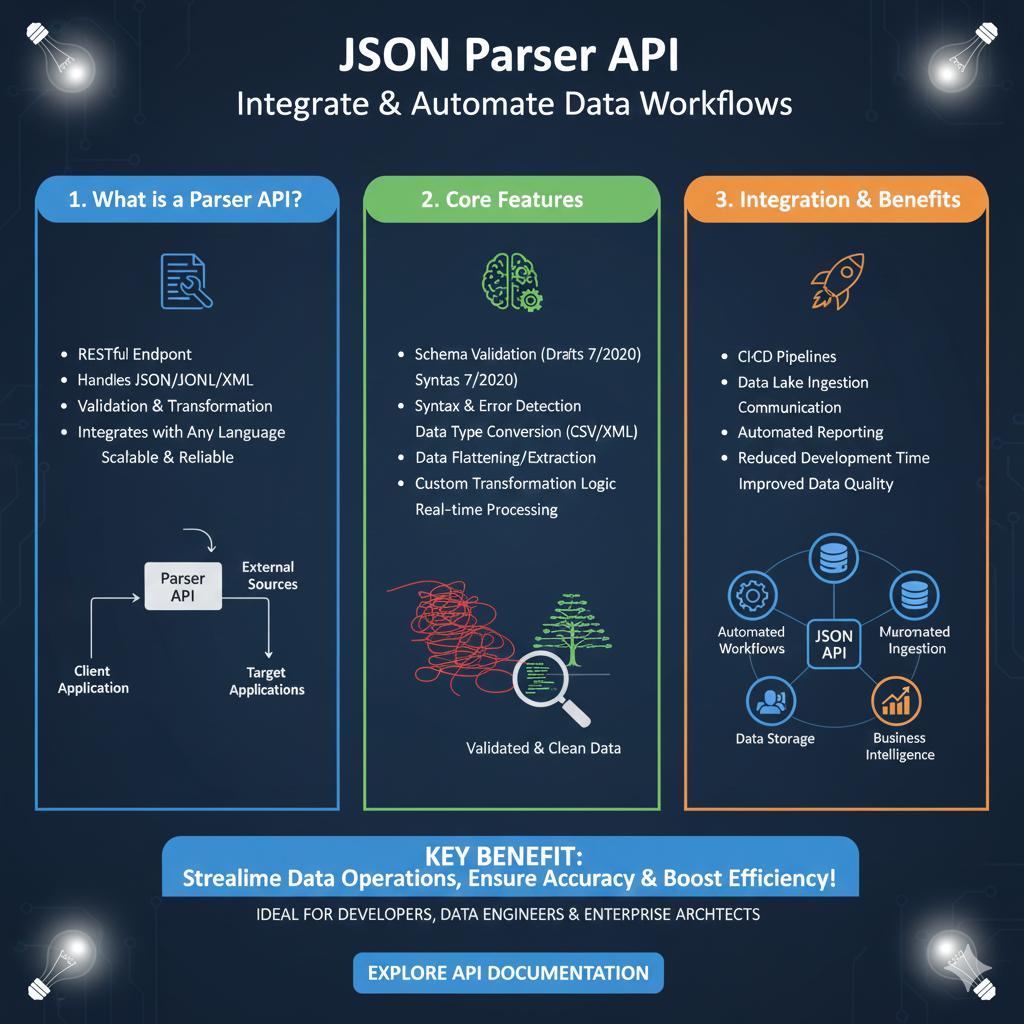
  • WHAT IS API JSON Parser – JSON Parser API – JSON.parse

    An API JSON Parser is a tool used to read and understand data returned in JSON format from an API response. Modern applications depend heavily on JSON data, and using a JSON parser API or JSON.parse method helps convert raw JSON text into usable objects, arrays, and key-value pairs. Developers rely on an API JSON parser to handle JSON string conversion, parsing states, and structured data quickly and efficiently.

    Understanding API JSON Parser

    An API JSON parser helps extract information from an API response by converting JSON text into readable objects. Whether you are working with a json array, nested json object, or raw json string, a parser API ensures the data returns properly formatted. The JSON.parse() static method is commonly used to process json format data in web applications, backend systems, and mobile apps.

    Why API JSON Parser Is Important

    Using an API JSON parser is essential for interpreting API response values and converting them into usable structures. It helps manage json format data, json array values, and complex key structures without manual processing. A JSON parser API improves data accuracy, simplifies parsing states, and ensures the method returns properly structured json data for web development, automation, and APIs.

    How an API JSON Parser Works

    An API JSON parser reads json text from an API response, breaks it into key–value pairs, and converts it into a json object or json array. The parser API handles parsing states, validates json format, and may use a reviver function to transform values. With JSON.parse or similar methods, the tool processes json data and returns objects the application can loop through or store in databases.

    Common Uses of an API JSON Parser

    Extracting API Response Values
    An API JSON parser retrieves important fields from json data such as product IDs, names, price, status, or other key elements.

    Handling Nested JSON Structures
    JSON parser API tools help navigate multi-layered json format structures from large web APIs.

    Converting JSON to Objects or Arrays
    Using JSON.parse(), json text becomes objects or json array structures for easy data manipulation.

    Data Validation and Parsing States
    The parser checks json string validity before converting it, preventing errors related to missing keys or invalid json format.

    Transforming API Data for Applications
    Developers use parser API logic to restructure json data for UI, backend processing, or automation workflows.

    Benefits of Using an API JSON Parser

    Using an API JSON parser reduces manual parsing, improves performance, and speeds up development. The parser handles json format conversion, json object mapping, and json array extraction more accurately than manual methods. It also helps with xml-to-json conversions, logging API response data, and building efficient tutorial-style examples for learning and debugging.

    Examples of JSON Parsing Methods

    JavaScript uses JSON.parse() to convert json string values into objects. Python uses json.loads() to handle json text. Node.js uses JSON.parse for server-side parsing. Java uses libraries like Gson and Jackson to convert json format data into objects. PHP uses json_decode to handle API response and json object creation.

    How to Use an API JSON Parser Effectively

    Always validate json format before parsing, use fallback logic when keys are missing, and test json string samples thoroughly. When using JSON.parse(), consider using a reviver function to transform values. Log API response data for debugging, and ensure json formatter tools are used when working with complex json data or nested objects.

    Final Thoughts

    An API JSON parser is an essential tool for working with API response data in modern applications. Whether you’re using JSON.parse, a JSON parser API, or custom parsing methods, you can easily convert json text into objects, arrays, and structured data. With proper parsing states, validation, and json format handling, your applications become more efficient, reliable, and scalable.

    API JSON Data Transformation: From Stream to Usable Object

    This infographic illustrates the essential four-step parsing process that occurs when an API receives JSON data from a client. The JSON Parser (often implemented as middleware in frameworks like Express.js) acts as the critical bridge, converting raw network text into a native object that your server-side code can easily access and manipulate.


    The Essential Parsing Process for API Requests

    The flow clearly shows the transformation of data and the roles of the client and server.

    1. Raw Input (Client Request)

    • Action: A client (e.g., a browser or mobile app) sends a POST or PUT request to the API, including data in the body.
    • Format: The server receives this data as a raw text stream (or buffer), which is just a long string.
    • Example: The input data looks like: {"user":"alice", "items":[1,2,3]}.

    2. The JSON Parser (Middleware)

    • Action: The designated JSON parsing middleware intercepts the raw request stream.
    • Check: It verifies the request’s Content-Type header to ensure it specifies application/json.
    • Transformation: If the content type is correct, the parser takes the raw text and converts it into a structured, executable Object.

    3. Parsed Data (Server-Side req.body)

    • Result: The parser successfully populates the req.body property on the server-side request object.
    • Format: The data is now a native JavaScript object, fully accessible in your code.
    • Example: The data is now structured as: req.body = { user: "alice", items: [1, 2, 3] }.

    4. Application Logic (Use the Data!)

    • Action: The server’s route handler executes. It can now directly access the data using dot-notation, without having to write manual parsing or error-handling logic.
    • Access: Developers can simply call req.body.user or loop through req.body.items.
    api json data tranformation

  • What Is Node.js Body Parser? express body-parser (Explanation)

    node js body parser is a parser middleware in node js used to read the body of incoming HTTP requests. In Express applications, express body-parser features make it easier to handle JSON parse operations, form submissions, and other types of request bodies. The body parser turns raw data into parsed data, attaching it to the request object so you can access it directly inside your routes.

    What Is Node.js Body Parser?

    node js body parser is a body-parser module that processes the request body and makes it available through the body property of the request object. When clients send json or url-encoded data, nodejs cannot read it directly. The body-parser middleware parses request bodies, including json url-encoded data, and converts them into usable JavaScript objects. This allows developers to work with req and request body data easily.

    json parse and parser middleware in Node.js

    The json parse functionality comes from express json, which is the built-in replacement for the older body-parser package. It automatically performs bodyparser json operations and attaches parsed data to req.body. The parser middleware works by examining the request, detecting the encoding and content type, and then parsing bodies accordingly.

    body-parser module and bodyparser json

    The body-parser module was once a separate package, but Express now includes the same functionality internally. bodyparser json enables easy handling of JSON data in APIs.

    body parser for urlencoded

    For json url-encoded form submissions, the urlencoded parser middleware handles encoding and parses urlencoded request bodies for use in your app.

    How Body Parser Works Inside a Node.js App

    In node js, the body parser middleware identifies the type of data being sent. It reads the request object, processes the data, and converts the request body into a structured format that is easier for the app to understand. Whether your request contains json, form bodies, text bodies, or other types, body-parser ensures the app receives fully parsed data.

    What Body Parser Can Parse

    JSON Data

    APIs that send json bodies rely heavily on express json for automatic parsing.

    URL-Encoded Data

    HTML forms and application/x-www-form-urlencoded submissions are parsed through urlencoded parser middleware.

    Raw Data & Buffers

    Certain request bodies, such as text or binary data, can also be parsed using body-parser-based middleware or extended configurations.

    Where Node.js Body Parser Is Commonly Used

    • node js APIs handling json parse data
    • Applications processing request object values
    • Systems requiring request body extraction
    • Express apps depending on body-parser middleware
    • Apps using post routes to parse submitted data
    • Projects dealing with urlencoded bodies

    Benefits of Using Node.js Body Parser

    • Makes request body readable
    • Converts raw bodies into structured data
    • Simplifies middleware and post route handling
    • Supports json url-encoded and multiple encoding types
    • Reduces complexity when accessing request object content
    • Works directly with express json and urlencoded methods
    • Helps APIs parse data without manual parsing logic

    Conclusion

    node js body parser is an essential part of handling request bodies in node js and Express. The body parser middleware interprets incoming json, urlencoded forms, and other data types, converting them into parsed data inside the request body. Since Express now includes express body-parser features by default, developers can easily manage request processing without relying on additional packages. This makes node js applications cleaner, faster, and more efficient when working with json, request data, and post bodies.

    Analyzing the Node.js Middleware Stack

    This chart illustrates the proportional distribution of different categories of middleware used in an average Express.js application. Understanding this distribution helps developers prioritize security, data handling, and custom logic implementation. The chart represents a 100% composition of an application’s middleware layers.


    Key Middleware Categories

    CategoryProportionRole & Examples
    Parsing & Data Handling30%Core Functionality. This largest segment includes middleware essential for making incoming data usable, such as Body Parser (express.json(), express.urlencoded()) and multipart form data handlers (e.g., Multer). Without this layer, the application cannot read data sent via POST requests.
    Authentication & Security25%Protection Layer. This critical middleware ensures that only authorized users can access protected routes. Examples include Passport.js for session management, JWT verification middleware, and CORS configuration. This layer acts immediately after data parsing.
    Custom Logic & Other (2 Segments)25% & 20% (Total 45%)Business Implementation & Utilities. This combined segment covers everything else necessary for the application to function. It often includes: Logging (e.g., Morgan), Compression (e.g., compression), Rate Limiting, Error Handling, and most importantly, any specific custom business logic required before the request reaches the final route handler.

    Takeaways for Developers

    • Data Handling is Primary (30%): The largest investment of middleware is dedicated to data ingestion and preparation. If your application relies heavily on complex forms or file uploads, this segment might grow even larger.
    • Security is Non-Negotiable (25%): A quarter of your stack should be dedicated to securing access. Prioritizing token validation, session checks, and other security measures is key to building a robust API.
    • Balance Customization: While Custom Logic makes up a significant portion (45%), developers must be careful not to make this layer too complex, as inefficient middleware can severely slow down request processing time for every single incoming call
    Analyzing the Node.js Middleware Stack
  • What Is jQuery JSON Parser, jQuery. Parse.Json, JSON.parse, jQuery.getJSON, ParseJSON Explanation)

    Introduction to jQuery JSON Parser, jQuery.getJSON, jQuery Api Documentation

    A jQuery JSON parser is the set of jQuery methods used to read, parse, and handle json data, including json parse operations, json format conversions, and AJAX responses. Developers often use jquery.getJSON, JSON.parse, and even older methods like parseJSON (now deprecated) to work with data from APIs, URLs, or local files. These functions help convert a json string into a usable json object inside JavaScript code.

    Working with jQuery makes it easier to load json data, interact with APIs, manipulate HTML dynamically, and handle xml or web responses. This is why the jQuery JSON parser remains an important tool for beginners, tutorials, and WordPress developers.


    Why jQuery Is Used for JSON Parsing? (JSON Parse, jQuery, jQuery.getJSON, jqXHR, Success)

    jQuery became popular because it simplifies tasks that normally require long JavaScript code. With built-in json parsing support, developers can easily:

    • Fetch json data from any URL
    • Parse returned json into usable objects
    • Work with jqXHR object responses
    • Handle success callback functions
    • Convert a json string into real JavaScript objects
    • Build HTML elements with parsed json

    Using jquery json parser features, even beginners can manage data, API requests, strings, objects, and ajax responses without complex programming.


    Common jQuery Methods for JSON Parsing

    1. $.getJSON() – jQuery.getJSON for Parsed JSON

    The jquery.getJSON method fetches json data from a server and automatically returns a parsed JSON object.

    Example JavaScript code:

    $.getJSON("data.json", function(response) {
        console.log(response);
    });
    

    This function is widely used in tutorials, WordPress plugins, and scripts because it makes json parse operations easy and reliable. It helps convert returned json into objects without manual parsing.


    2. $.ajax() with dataType: “json” – jQuery JSON, jqXHR, Success Callback

    Using jQuery AJAX with dataType: "json" gives you full control over json format, jqXHR object handling, and success/error functions.

    $.ajax({
        url: "api/data",
        method: "GET",
        dataType: "json",
        success: function(result) {
            console.log(result);
        }
    });
    

    This helps when working with APIs, returned json structures, xml fallback responses, or custom parsing logic.


    3. JSON.parse() – Modern JSON Parse Method for JSON String

    If you receive a json string, you can convert it into an object using JSON.parse():

    var jsonString = '{"name": "John", "age": 25}';
    var data = JSON.parse(jsonString);
    console.log(data.name);
    

    Because parseJSON is deprecated, JSON.parse is now the recommended way to convert string data into json objects. It provides reliable parsing for web apps, html updates, and JavaScript functions.


    What Can You Do With jQuery JSON Parsing? (JSON Data, jQuery JSON, ParseJSON, URL, Web APIs)

    By using jquery json parser methods, developers can:

    • Display JSON API results dynamically in HTML
    • Load json format data into tables, lists, or UI components
    • Create search and filter features using parsed json
    • Handle backend responses and endpoints
    • Convert json string values into JavaScript objects
    • Work with url-based APIs such as JSONPlaceholder, DummyJSON, or mock data tools

    This makes jQuery extremely useful for tutorials, WordPress themes, older systems, and any app requiring simple JSON handling.


    Benefits of jQuery JSON Parser, JSON Stringify, jQuery JSON, AJAX JSON

    ✔ Beginner-friendly functions for parsing JSON
    ✔ Works with jquery ajax, xml, and json data
    ✔ Faster than writing long JavaScript code
    ✔ Supports json stringify for sending data
    ✔ Ideal for older websites, WordPress, and simple apps
    ✔ Reliable success callback and jqXHR object handling

    With full support for json objects, strings, html DOM updates, and reference data, jQuery remains a lightweight solution for small and medium web projects.


    Is jQuery Still Used Today? (JSON, jQuery.getJSON, AJAX, Data)

    Even though modern frameworks like React and Vue are more popular today, jQuery is still widely used, especially in:

    • WordPress themes and plugins
    • Older websites and dashboards
    • Lightweight JavaScript codebases
    • Simple web tools that use URLs, json data, and APIs
    • Tutorials and beginner projects

    Because jquery.getJSON, JSON.parse, and AJAX success callbacks work consistently across browsers, developers continue using jQuery for quick json parsing and dynamic html manipulations.


    Conclusion – jQuery JSON Parser, JSON.parse, jQuery.getJSON, ParseJSON

    A jQuery JSON parser simply means using jQuery features like jquery.getjson, jquery ajax, JSON.parse, and (historically) parseJSON to fetch, read, and convert json data. Whether you’re handling a json string, json object, returned json from an API, or data from a URL, jQuery provides simple and effective tools.

    These methods help developers process JSON data, update HTML content, work with strings, objects, xml responses, web references, and build dynamic UI components efficiently. For WordPress users, small websites, and classic JavaScript projects, jQuery remains one of the easiest ways to manage json parse tasks.

  • What is JavaScript JSON Parser? Complete Guide for Beginners

    Working with API data is one of the most important parts of modern web development. In JavaScript, handling data in JSON format is extremely common. To process this data easily, JavaScript uses a built-in feature called the JSON Parser.

    In this article, you’ll learn what a JavaScript JSON parser is, how it works, and real-world examples to help you understand it clearly.

    What is JavaScript JSON Parser?

    A JavaScript JSON Parser is a built-in function in JavaScript that converts a JSON string into a JavaScript object.
    This is done using:

    JSON.parse()
    

    When you receive JSON from an API, it usually comes as a string. JavaScript cannot directly use that string.
    The JSON parser helps convert it into:

    • Objects
    • Arrays
    • Numbers
    • Strings
    • Boolean values

    So you can use the data in your code.

    Why Do We Use JSON.parse() in JavaScript?

    Here are the main reasons:

    1. Converts JSON String → JavaScript Object

    JavaScript can only work with objects and arrays, not raw JSON strings.

    2. Makes API Data Usable

    Most APIs return data in JSON format.

    3. Helps Access Nested Data

    You can easily read and modify complex JSON structures.

    4. Works Fast and Efficiently

    JSON.parse() is optimized and built into all browsers.

    JavaScript JSON Parser Example

    Basic Example

    const jsonData = '{"name":"Rahul","age":22}';
    
    const parsedData = JSON.parse(jsonData);
    
    console.log(parsedData.name);  // Output: Rahul
    

    Parsing Nested JSON

    const data = '{"student":{"name":"Aisha","marks":90}}';
    
    const result = JSON.parse(data);
    
    console.log(result.student.marks);  // Output: 90
    

    Parsing JSON Array

    const jsonArray = '[{"id":1},{"id":2},{"id":3}]';
    
    const output = JSON.parse(jsonArray);
    
    console.log(output[1].id);  // Output: 2
    

    What Happens If JSON Is Invalid?

    If the JSON format has errors, JavaScript throws an exception.

    Example:

    JSON.parse('{"name": "John", }');  
    

    Result

    SyntaxError: Unexpected token }
    

    To avoid crashes, use try...catch:

    try {
      JSON.parse(data);
    } catch (error) {
      console.log("Invalid JSON");
    }
    

    Difference Between JSON.parse() and JSON.stringify()

    FunctionPurpose
    JSON.parse()Converts JSON string → JavaScript object
    JSON.stringify()Converts JavaScript object → JSON string

    Where JavaScript JSON Parser Is Used?

    • Fetching API data
    • Web applications
    • Frontend frameworks (React, Vue, Angular)
    • Node.js backend
    • Mobile apps using JS
    • Storing and retrieving data from localStorage

    Any JavaScript-based project that handles JSON uses a JSON parser.

    SEO Keywords to Include in Your Post

    Use these keywords naturally in your article:

    • javascript json parser
    • what is json parse in javascript
    • json.parse explanation
    • javascript parse json string
    • how json parser works in javascript
    • json parsing example in javascript
    • javascript json tutorial

    FAQ: JavaScript JSON Parser

    1. What is JSON.parse() used for?

    It converts JSON text into a JavaScript object.

    2. Can JSON.parse() throw errors?

    Yes, if the JSON format is invalid.

    3. Is JSON.parse() fast?

    Yes, it is highly optimized in all browsers.

    4. Do we need any library for JSON parsing?

    No, JavaScript has a built-in JSON parser.

    Conclusion

    A JavaScript JSON Parser (JSON.parse) is one of the most powerful and essential tools for working with data in JavaScript. It helps convert JSON strings into objects that can be used in APIs, apps, websites, and backend systems. Understanding JSON.parse will make you a more effective developer and improve your ability to work with real-time data.