How to Parse GeoJSON: A Comprehensive Guide for Developers
GeoJSON is a popular open standard format for encoding various geographic data structures. From points and lines to polygons and multi-part geometries, it’s the backbone for many mapping applications and spatial data exchanges. But how do you take raw GeoJSON data and turn it into something usable within your applications? This guide will walk you through the process of parsing GeoJSON, with practical examples in JavaScript and Python.
What is GeoJSON and Why Parse It?
GeoJSON is a standard for representing simple geographical features along with their non-spatial attributes using JSON (JavaScript Object Notation). It’s human-readable and widely adopted across the GIS (Geographic Information System) ecosystem.
- Interoperability: Exchange geographic data between different systems.
- Web Mapping: Display spatial data on interactive web maps (e.g., Leaflet, OpenLayers, Mapbox GL JS).
- Data Analysis: Process and analyze spatial information programmatically.
- API Integration: Many spatial APIs return data in GeoJSON format.
Basic GeoJSON Structure
Before parsing, it’s helpful to understand the basic structure. A simple GeoJSON Point looks like this:
{
  "type": "Point",
  "coordinates": [-74.0060, 40.7128]
}
A Feature Collection, a common top-level object, bundles multiple features:
{
  "type": "FeatureCollection",
  "features": [
    {
      "type": "Feature",
      "geometry": {
        "type": "Point",
        "coordinates": [-74.0060, 40.7128]
      },
      "properties": {
        "name": "New York City"
      }
    }
  ]
}
How to Parse GeoJSON in JavaScript
Parsing GeoJSON in JavaScript is straightforward as GeoJSON is inherently JSON. You typically receive GeoJSON as a string, which you then parse into a JavaScript object.
Parsing from a String
If you have a GeoJSON string, use JSON.parse():
const geojsonString = '{"type": "Point", "coordinates": [-74.0060, 40.7128]}';
const geojsonObject = JSON.parse(geojsonString);

console.log(geojsonObject.type); // "Point"
console.log(geojsonObject.coordinates[0]); // -74.0060
Fetching from an API
When fetching GeoJSON from an API, the fetch API or libraries like Axios automatically handle the JSON parsing if you use the .json() method:
fetch('https://api.example.com/geojson/cities')
  .then(response => {
    if (!response.ok) {
      throw new Error('Network response was not ok');
    }
    return response.json(); // Parses the JSON body of the response
  })
  .then(data => {
    console.log('Parsed GeoJSON:', data);
    // You can now access data.type, data.features, etc.
    if (data.type === 'FeatureCollection') {
      data.features.forEach(feature => {
        console.log('Feature properties:', feature.properties);
        console.log('Feature geometry:', feature.geometry);
      });
    }
  })
  .catch(error => {
    console.error('Error fetching GeoJSON:', error);
  });
Using Libraries (e.g., Leaflet, OpenLayers)
Mapping libraries often have built-in methods to handle GeoJSON, simplifying integration:
-
- Leaflet:
  // Assuming 'map' is an initialized Leaflet map object
  const geojsonLayer = L.geoJSON(geojsonObject).addTo(map);
-
- OpenLayers:
  import GeoJSON from 'ol/format/GeoJSON';
  import VectorSource from 'ol/source/Vector';
  import VectorLayer from 'ol/layer/Vector';

  const vectorSource = new VectorSource({
    features: (new GeoJSON()).readFeatures(geojsonObject)
  });

  const vectorLayer = new VectorLayer({
    source: vectorSource
  });

  // Add vectorLayer to your map
How to Parse GeoJSON in Python
Python offers excellent tools for working with GeoJSON, primarily through its built-in json module and specialized libraries like geojson or shapely (for spatial operations).
Parsing from a String or File
The built-in json module is your go-to for parsing JSON strings or files.
import json

geojson_string = '{"type": "Point", "coordinates": [-74.0060, 40.7128]}'
geojson_data = json.loads(geojson_string) # loads string

print(geojson_data['type']) # "Point"
print(geojson_data['coordinates'][1]) # 40.7128

# Parsing from a file
# with open('path/to/your/data.geojson', 'r') as f:
#     geojson_from_file = json.load(f) # load file object
#     print(geojson_from_file['type'])
Fetching from an API
Using the requests library for fetching data from an API:
import requests
import json

url = 'https://api.example.com/geojson/regions'
response = requests.get(url)

if response.status_code == 200:
    geojson_data = response.json() # Automatically parses JSON response
    print('Parsed GeoJSON:', geojson_data)
    if geojson_data.get('type') == 'FeatureCollection':
        for feature in geojson_data['features']:
            print('Feature properties:', feature.get('properties'))
            print('Feature geometry:', feature.get('geometry'))
else:
    print(f"Error fetching data: {response.status_code}")
Using the geojson Library
The dedicated geojson library in Python provides objects that mirror GeoJSON specifications, making it easier to validate and manipulate GeoJSON objects programmatically.
from geojson import Point, Feature, FeatureCollection, dumps, loads

# Create a GeoJSON object
point_obj = Point((-74.0060, 40.7128))
print(dumps(point_obj, indent=2))

# Parse a GeoJSON string into a geojson object
geojson_string = '{"type": "Feature", "geometry": {"type": "Point", "coordinates": [-74.0060, 40.7128]}, "properties": {"name": "NYC"}}'
parsed_feature = loads(geojson_string)
print(parsed_feature.geometry.coordinates) # Access via object attributes
Best Practices for GeoJSON Parsing
- Error Handling: Always wrap your parsing logic in try-catch (JavaScript) or try-except (Python) blocks to handle malformed or invalid GeoJSON data gracefully.
- Validation: Consider validating GeoJSON against the specification, especially when dealing with external or user-provided data. Libraries like
geojson-validation(Python) or custom validation functions can help. - Performance: For very large GeoJSON files, consider streaming parsers or using optimized C++ libraries wrapped in your language of choice if performance becomes a bottleneck.
- CRS Handling: GeoJSON strictly adheres to WGS84 (EPSG:4326). If your data is in another CRS, you’ll need to reproject it before or after parsing.
Conclusion
Parsing GeoJSON is a fundamental skill for anyone working with spatial data in web or backend applications. Whether you’re using native JSON parsers in JavaScript and Python, or leveraging specialized libraries and mapping frameworks, the process is generally straightforward. By understanding the GeoJSON structure and applying the right tools, you can efficiently integrate geographic data into your projects, unlocking a world of possibilities for mapping, analysis, and visualization.
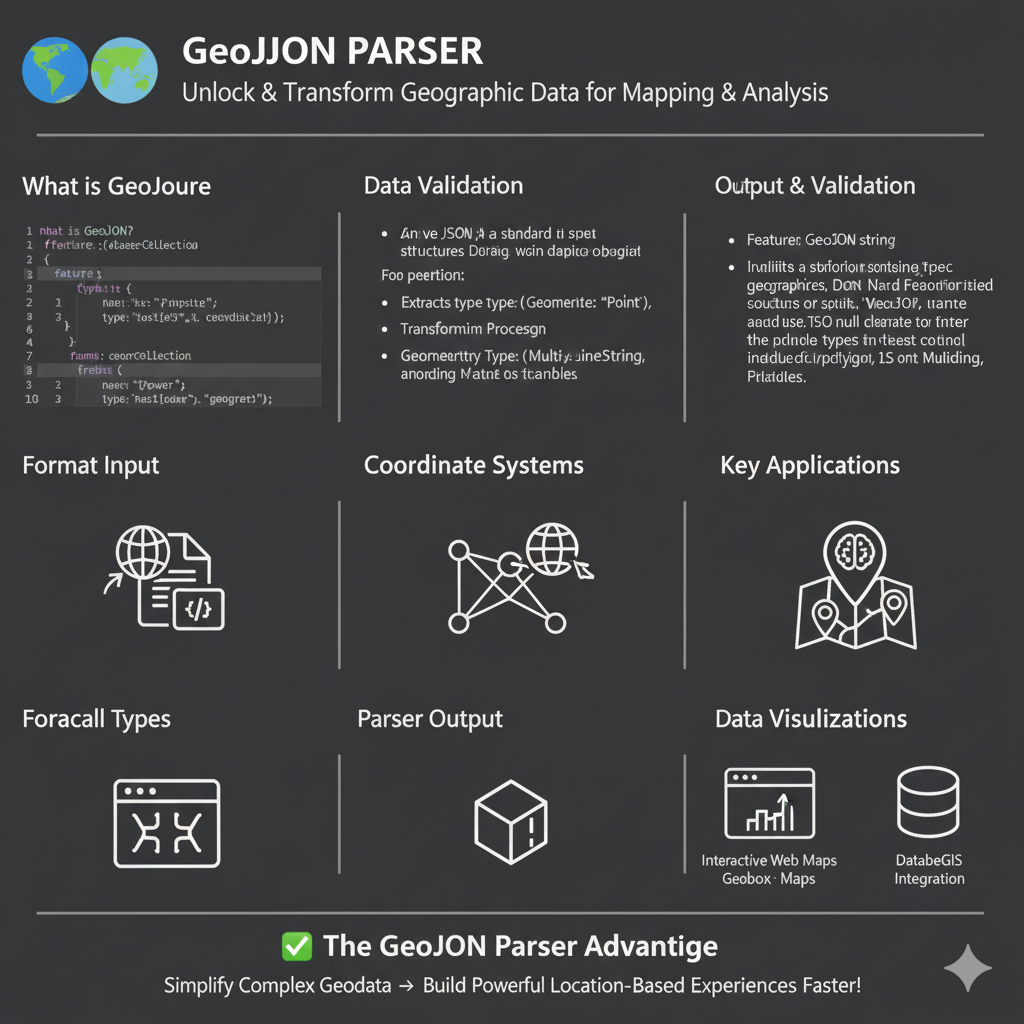
Understanding the GeoJSON Parser
The infographic is organized into several key technical modules:
1. Core Concepts & Input
- What is GeoJSON?: It is shown as a specialized JSON format used to specify geographic structures like
FeatureCollectionandFeature. - Code Example: The graphic includes a snippet showing properties like
nameand geographictype(e.g., “point” or “geometry”). - Format Input: Visualized as the conversion of raw code/files into readable map data.
2. Data Validation & Processing
- Standardized Structures: The parser ensures the JSON follows standards for geographic objects.
- Geometry Extraction: It extracts specific geometry types such as
Point,MultiLineString, orPolygon. - Coordinate Systems: The tool handles the complex logic of mapping coordinates to global positioning systems.
3. Output & Applications
- Parser Output: Transforms raw data into 3D models or structured objects ready for rendering.
- Key Applications: Used for spatial analysis, routing, and location-based services.
- Data Visualizations: * Interactive Web Maps: Integration with tools like Geobox or standard web maps.
- Database/GIS Integration: Streamlining data into spatial databases.
✅ The GeoJSON Parser Advantage
The ultimate benefit highlighted is the ability to Simplify Complex Geodata and Build Powerful Location-Based Experiences Faster!
learn for more knowledge
Mykeywordrank-> How to Use a Rank Checker Effectively to Boost Your SEO – keyword rank checker
Json web token ->How to Implement jwt token node js Applications – json web token
Json Compare ->How to Compare Two JSON Files Effectively: A Comprehensive Guide – online json comparator
Fake Json –>How to Use Dummy API JSON for Faster Development and Testing: Leveraging Fake APIs, JSON, and Mockaroo
Leave a Reply