In the landscape of modern development, json (JavaScript Object Notation) is the primary way we exchange data between a web server and an application. Its lightweight format makes it easy to read, but the real magic happens when you perform a json parse. This guide will show you how to convert a raw json string into a usable javascript object or other native data structures, ensuring you can manipulate json data with ease.
Why Understanding json parse use and json parsing is Essential
Whether you are building a small module or a massive enterprise application, you will inevitably deal with json text. Simply having the data is not enough; your application needs to understand the object described in that text. JSON parsing is the process that parses that text and converts it into a javascript value (like a javascript array or an object) that your code can actually interact with.
- Exchange Data: It is the standard for APIs and web server communication.
- Data Integrity: Valid json ensures your application doesn’t crash during the convert process.
- Dynamic Content: Turning a json string into javascript objects allows for dynamic UI updates.
How to parse json in javascript: Working with json.parse
In the javascript ecosystem, the most common way to handle this is the json.parse method. This built-in function takes a string and converts it into a javascript object.
Using the json.parse Method
When you receive a json string from an API, you use json.parse to turn it into something useful:
JavaScript
const jsonString = '{"name": "Alice", "age": 30}';
const user = JSON.parse(jsonString); // Converts string to javascript object
console.log(user.name); // Alice
Advanced json parsing with the reviver function
Sometimes you need more control during the parse process. This is where the reviver function acts as a powerful parse operator. The reviver is an optional second parameter in json.parse that allows you to transform the data as it is being parsed.
For example, if you need to convert string dates into actual Date objects during the process:
JavaScript
const jsonText = '{"event": "Conference", "date": "2026-05-15"}';
const parsedData = JSON.parse(jsonText, (key, value) => {
  if (key === "date") return new Date(value); // The reviver function transforms the value
  return value;
});
In this exercise, the reviver ensures the javascript value is exactly what you need before the json object is even returned.
How to parse a json file in Python and Java
Outside of the browser, json parsing remains a core task. In Python, you typically use the json module to read a json file and convert it into a dictionary.
- Python: Use
json.loads(string)for a json string orjson.load(file)for a json file. - Java: As Alex notes in his popular reference on Java parsing, you often use libraries like Jackson or Gson to convert json data into POJOs.
Summary and tutorial exercise
Mastering json parse use is about more than just calling a function; it’s about understanding how to safely convert array data and nested structures into reliable javascript objects.
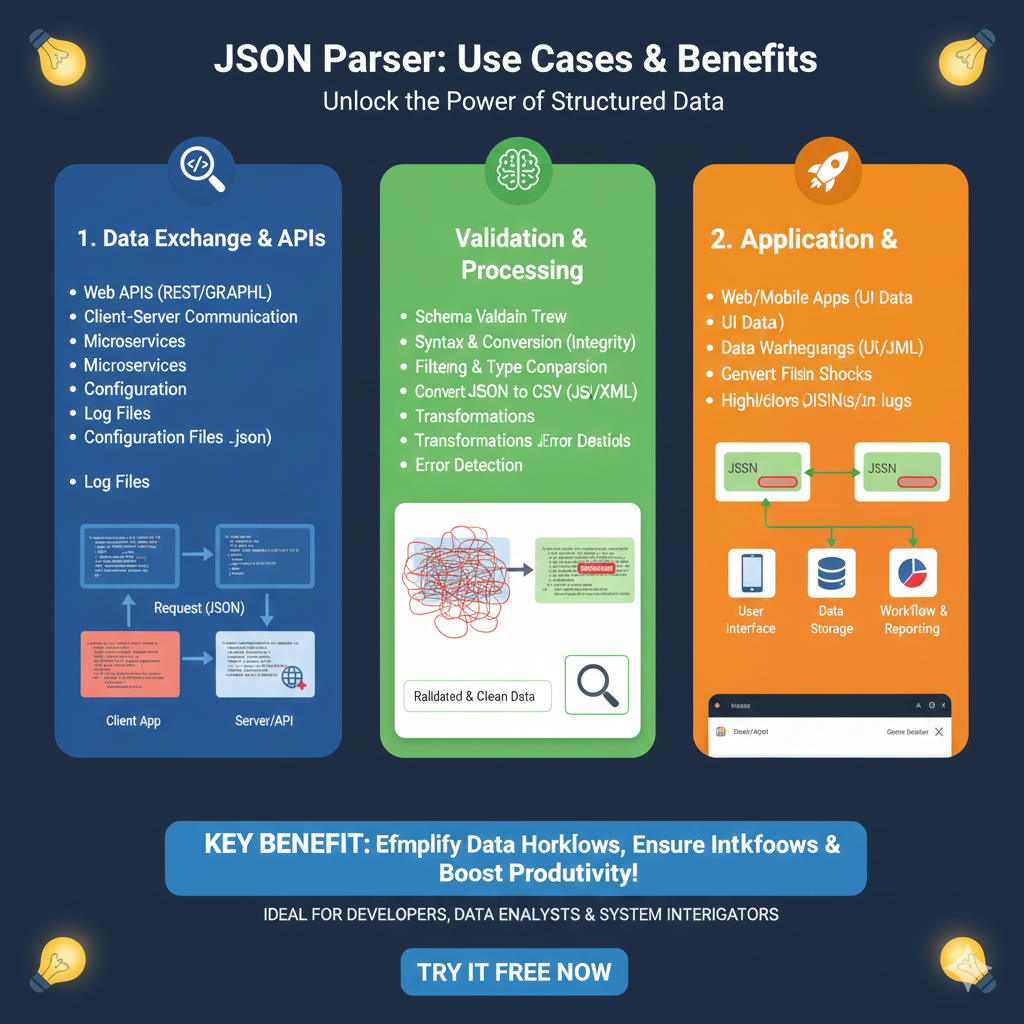
1. Data Exchange & APIs (Blue)
This section highlights JSON’s role as the primary language for communication between different systems:
- API Communication: Facilitates data transfer for Web APIs (REST/GraphQL) and general Client-Server Communication.
- System Architecture: Crucial for managing data between Microservices.
- System Maintenance: Used extensively for managing Configuration Files (.json) and analyzing Log Files.
- Visual Flow: Displays a diagram of a Client App sending a Request (JSON) to a Server/API.
2. Validation & Processing (Green)
This module focuses on ensuring that the data being handled is clean, accurate, and properly formatted:
- Integrity Assurance: Provides Syntax & Conversion checks to maintain data integrity.
- Structural Verification: Includes Schema Validation and Error Detection to catch issues early.
- Data Manipulation: Enables Filtering & Type Comparison, as well as complex Transformations.
- Format Versatility: Allows for the conversion of JSON to CSV, JS, or XML.
3. Application & Integration (Orange)
The final pillar details how processed JSON data is utilized in end-user applications and business reporting:
- End-User Platforms: Powers the UI Data for both Web and Mobile Apps.
- Data Storage: Facilitates Data Warehousing and the conversion of files into actionable insights.
- Monitoring: Helps in highlighting Logs for system health monitoring.
- Connected Ecosystem: Illustrates a flow where JSON moves from a User Interface to Data Storage and finally into Workflow & Reporting.
learn for more knowledge
Mykeywordrank-> Search for SEO: The Ultimate Guide to Keyword Research and SEO Site Checkup – keyword rank checker
json web token->jwt react Authentication: How to Secure Your react app with jwt authentication – json web token
Json Compare ->compare json online free: Master json compare online with the Best json compare tool and online json Resources – online json comparator
Fake Json –>fake api jwt json server: Create a free fake rest api with jwt authentication – fake api
Leave a Reply